Jump Jump
Rating
5
Orientation
Portrait
Release Date
2024-11-29
What is Jump Jump
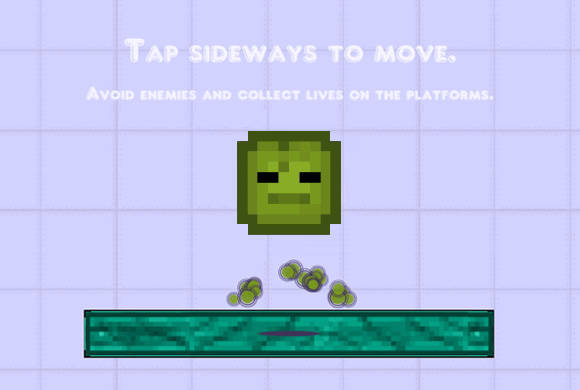
Welcome to Jump Jump, a thrilling and highly addictive hyper-casual platformer that brings back the charm of classic retro arcade games! In this endless jumping adventure, you take control of a quirky, pixelated melon block with one simple goal: jump as high as you possibly can. The gameplay is elegantly simple but requires sharp reflexes and precise timing. You must navigate across floating platforms while dodging a barrage of dangerous flying knives that threaten to end your run. Featuring a minimalist 2D pixel art style, a cool "Dark" mode for nighttime playing, and smooth physics, Jump Jump provides endless entertainment. Whether you have a few minutes to spare or want to beat your ultimate high score, this fast-paced dodging game will keep you hooked. Jump into the action and see how far you can climb!
Key Game Features
Retro Pixel Art: Enjoy charming 2D pixel graphics that offer a nostalgic, classic arcade gaming experience.
Intuitive Controls: Simply tap and hold on either side of the screen to guide your melon's jumping direction.
Endless Challenge: Keep jumping upward across platforms to beat your own high score in this infinite runner.
Deadly Obstacles: Test your reflexes by carefully dodging fast-moving flying knives while you ascend.
How to Play & Master
Playing Jump Jump is incredibly simple to learn, making it perfect for quick gaming sessions, but mastering it will test your reflexes! When you launch the game, you will see your green pixelated melon resting on a starting platform. Press the "START" button to begin your ascent.
The core mechanic revolves around directional jumping. Your character bounces continuously and automatically, but you control where it goes horizontally. To move to the right, tap and hold your mouse (or finger on touch screens) on the right side of the screen. The longer you hold, the further right your character will travel mid-air. To move to the left, simply tap and hold on the left side of the screen.
As you bounce from platform to platform, your goal is to keep moving upward without falling off the bottom of the screen. However, gravity isn't your only enemy. Watch out for the sharp knives flying vertically across the map! If your melon touches one of these knives, it's game over. You need to carefully time your directional holds to weave between the blades and land safely on the next platform.
Aim for the highest score possible by surviving as long as you can. If your eyes get tired, try clicking the "DARK" button on the main menu to switch to a sleek, eye-friendly visual mode!
Game Controls
Mouse/Touch: Tap and hold the Left Mouse Button (or touch and hold the screen) on the right half of the screen to jump right. Tap and hold on the left half of the screen to jump left.
Frequently Asked Questions (FAQ)
Q: Can I stop bouncing?
A: No, your character will constantly bounce automatically. Your job is to guide its trajectory left or right while it jumps.
Q: How do I turn on Dark Mode?
A: On the main menu screen (before you press start), click the button labeled "DARK" below the high score to toggle the visual theme.









 608.4K